Table of Contents
You’ve done it yourself: you search something on Google and see sponsored Google Ads at the very top, three results with a small “Sponsored” label, and you either scroll straight past them or pause and wonder: should my content be up there? If you run a blog or a small business in India, that second reaction is worth acting on. Months of SEO work can put you on page one eventually, but the paid listings sitting above your organic results were placed there by someone who set up a campaign in an afternoon.
This guide explains exactly what the “Sponsored” label means, how paid search ads differ from organic results, and how to launch a basic Google Ads Search campaign without burning through your budget. The Rankner team ran a small sponsored campaign to drive traffic to a newly published guide before it had time to rank organically. The results were instructive enough to document here. By the time you finish reading, you’ll have a clear picture to either launch your first campaign or evaluate one that’s already running.
What the “Sponsored” label on Google actually means
Google displays a “Sponsored” label on paid search results, its updated labelling system, replacing the older “Ad” tag that appeared on individual listings. In practice, both labels mean the same thing: the business paid to appear there through Google’s auction system, not because the algorithm ranked them on merit or authority. You’ll now often see “Sponsored” as a single header sitting above a block of paid results, making it more prominent than the older small “Ad” badge.
The misconception worth clearing up immediately is that Google sponsored results are somehow less legitimate, or that only large businesses can afford them. Neither is true. Any advertiser with a Google Ads account and a working payment method can participate in the auction, provided their account and ads comply with Google’s advertising policies and pass the ad review process. Appearing at the top of the search results page has nothing to do with domain authority when you’re paying for the placement.
Sponsored vs organic search: the core difference
Organic results are ranked by Google’s algorithm, which weighs relevance, content quality, backlinks, user signals, and dozens of other factors before deciding which pages appear and in what order. Building organic authority takes time, consistency, and often a year or more of sustained effort in competitive niches.
Sponsored ads on Google work differently. They are determined by an auction that runs every time someone searches. The key inputs are your bid (how much you’re willing to pay per click), your Quality Score (a measure of how relevant and useful your ad and landing page are), and your ad’s expected click-through rate. A new website with zero domain authority can appear above established organic results if the campaign is set up well. That’s the fundamental trade-off: you pay for speed and position rather than earning them through authority.
Where Google places sponsored ads
Paid ads can appear across several locations in Google’s ecosystem, depending on your campaign settings. The four most common placements are Search, Shopping, Maps, and YouTube.
Search ads are text-based listings that appear above and below organic results on Google.com. Depending on your campaign settings, they may also show across Google’s Search partner network. Shopping ads appear as product carousels, usually at the top or side of results pages, driven by product feed data.
Maps ads show as promoted pins and local placements within Google Maps, useful for businesses with a physical location. YouTube ads run as video placements, including in-stream and bumper formats. Note that beyond these main placements, ads can also appear on the Google Display Network and publisher sites, depending on how your campaign is configured.
For most bloggers and small businesses in India reading this, Search campaigns are the right starting point. They capture people who are actively typing a query related to what you offer, making them the most straightforward Google Ads format to learn and measure. The other formats become relevant once you have Search working and understand your numbers.
Setting up your first sponsored Google Ads campaign
SEO compounds over time. A well-optimised piece of content can keep delivering traffic for years without additional spend. That compounding effect is why organic search should be the foundation of any content-led strategy. But paid search solves specific timing problems that SEO simply cannot address quickly enough.
The high-intent advantage
Someone searching “best accounting software for GST India” or “book a wedding photographer in Delhi” is not browsing idly, they are close to a decision. Sponsored ads allow you to appear in front of that person at the exact moment of intent, before your organic content has had time to compete for that keyword. For bloggers with monetised content, affiliate products, or digital products tied to high-intent search terms, reaching that audience early is commercially meaningful, not just a vanity metric.
When paid search solves a real problem
A blogger or content creator who publishes a new guide and wants traffic before the page has built organic rankings has a genuine case for paid search. So does a local service business with no established organic presence that needs enquiries and leads this month rather than next year. And any business entering a competitive keyword space, where organic ranking realistically requires twelve months or more of consistent effort, can use paid listings on Google to bridge the gap while SEO catches up.
There are also situations where paid search is a poor fit. If your margins are low and the cost per click in your niche makes it mathematically impossible to break even, ads will drain your budget without returns. Purely awareness-stage content with no conversion path also tends to perform poorly in paid search. And if you haven’t set up conversion tracking, you’re flying blind, spending money without knowing whether any of it is working.
Getting the account and goal sorted first
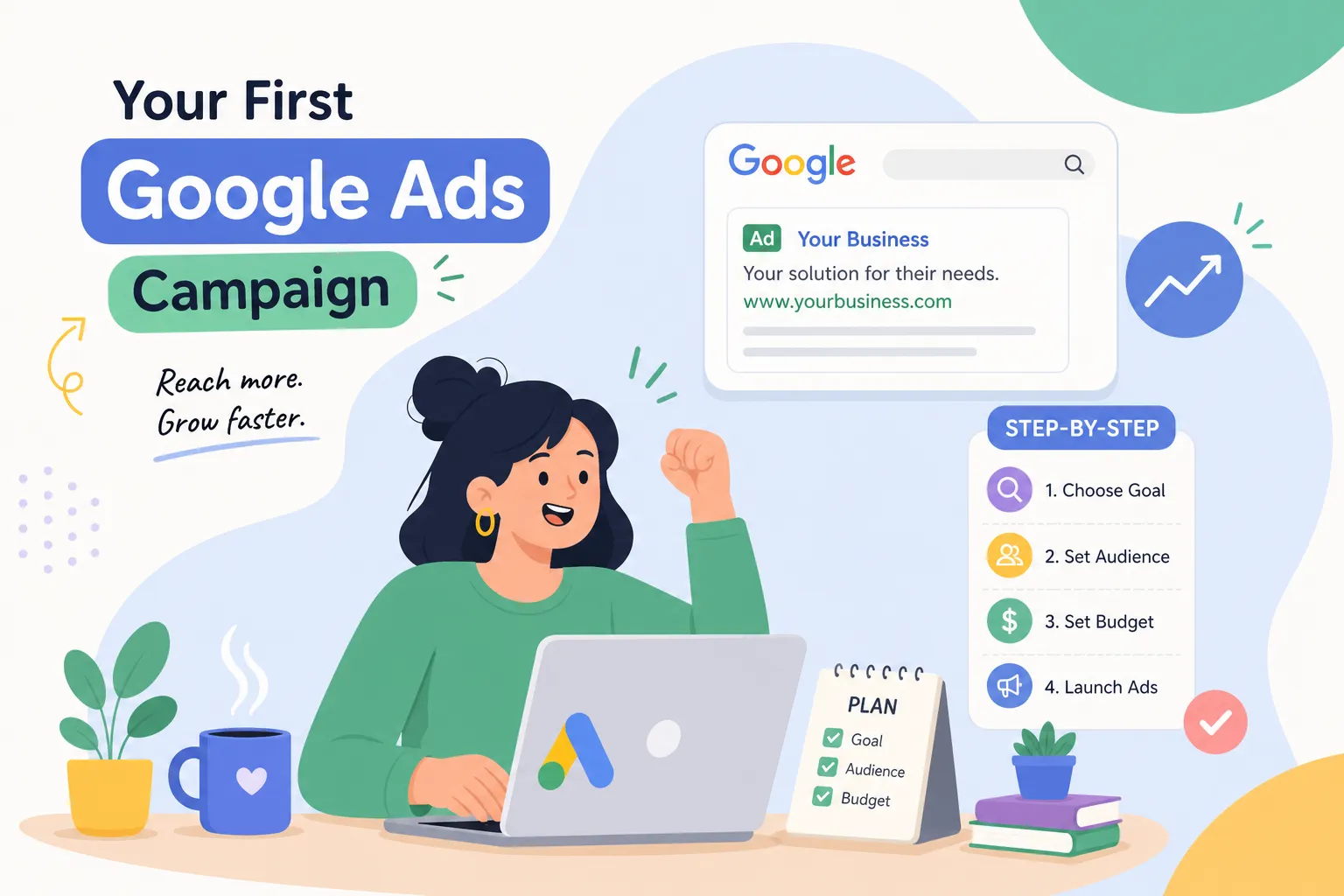
Sign in to Google Ads and select Expert Mode when prompted. Before you touch any campaign settings, install your conversion tracking, using the Google Ads tag or through Google Tag Manager. The actions worth tracking depend on your setup: form submissions, phone calls, WhatsApp button clicks, or purchases. Without conversion tracking in place, every optimisation decision you make later is a guess. This single step separates campaigns that improve over time from those that waste money indefinitely.
Once tracking is live, start a new campaign and choose the option to create a campaign without goal guidance, this gives you the cleanest Expert Mode path. Select Search as the campaign type, add your website URL, and work through the settings systematically: campaign name, location targeting (your city, state, or a radius around your business), language, and budget.
Building your keyword list for a blog niche
Open Google Keyword Planner and start with five to ten seed terms your target reader or customer actually types into Google. For bloggers, focus on high-intent modifiers: “best”, “how to”, “for India”, “review”, or specific product names. For local service businesses, use service-plus-location combinations such as “chartered accountant in Pune” or “AC repair Bengaluru”. These phrases signal clear commercial or informational intent and are far more likely to convert than broad generic terms.
Group your keywords into tight ad groups, one clear theme per group. Then, before you launch, build your negative keyword list: the terms you don’t want to pay for, including irrelevant queries, competitor names you’re not targeting, and informational searches that don’t match your offer. For beginners, phrase match and exact match are the safest starting match types. Broad match can drain a budget quickly when you’re still learning which searches convert.
Writing responsive search ads that convert
Google Ads uses responsive search ads, where you provide multiple headlines and descriptions and the system tests combinations. A practical framework: Headline 1 mirrors the keyword or search intent directly, Headline 2 states your main benefit or offer, and Headline 3 adds a trust signal or a reason to act now. Descriptions should be specific, avoid vague phrases like “high-quality service” and instead state what makes your offer concrete and credible.
Add call assets, sitelink assets, and location assets from the start. These extensions increase the visual footprint of your ad and give Google more to test.
The landing page your ad links to must deliver on the promise made in the ad. A mismatch between ad copy and landing page content lowers your Quality Score, which raises the cost per click and reduces where your ad appears. A poor landing page experience is one of the most common reasons first-time campaigns underperform.
Sponsored Google Ads: budgeting and CPC benchmarks for India
One of the most common questions from first-time advertisers is how much to spend. The honest answer depends on your niche, the figures below give you a working estimate before you spend anything.
CPC benchmarks by niche
The table below shows 2026 average cost-per-click figures for key verticals in India, alongside typical conversion rates. Use these to estimate a rough cost per acquisition before committing budget.
| Vertical | Avg. CPC (₹) | Conversion rate |
|---|---|---|
| Local services (plumbing, AC repair) | ₹25 | 8.5% |
| Healthcare/clinics | ₹28 | 6.2% |
| EdTech | ₹32 | 5.5% |
| Real estate | ₹65 | 1.8% |
| BFSI (loans, credit cards) | ₹95 | 4.8% |
| Legal services | ₹110 | 3.2% |
Local services and healthcare offer the most favourable combination of low CPC and high conversion rate. Legal and BFSI keywords are expensive enough that they’re unsuitable starting points for most small advertisers. If your niche lands in the ₹95 to ₹110 CPC range, you need either very high margins or a very specific long-tail keyword strategy to make the numbers work.
Choosing a starting daily budget and bid strategy
A starting range of ₹500 to ₹1,000 per day is realistic for Indian small businesses testing their first Search campaign. Start with Maximise Clicks or Manual CPC bidding. Automated conversion-based strategies like Target CPA work well, but only after you’ve collected 30 to 50 conversions, without that data baseline, the algorithm doesn’t have enough signal to optimise effectively and can behave unpredictably.
Keep the first campaign narrow: one offer, one audience segment, one city or region. Spreading a small budget across multiple locations, keyword themes, and ad groups simultaneously produces data too diluted to act on. Focus produces faster learning.
Tracking results without getting lost in the dashboard
Google Ads gives you access to more data than most first-time advertisers need. Checking too many metrics leads to paralysis from information overload, or false confidence from vanity numbers. A short list of metrics is enough to keep you out of trouble in the first month.
The key numbers to watch first
Click-through rate tells you whether your ad is relevant enough to earn clicks. A healthy CTR for a Search campaign in India sits around 3% to 5%. Below 3%, the ad copy or keyword targeting needs attention.
Cost per conversion tells you whether the traffic is profitable. This number must sit below what the conversion is worth to your business, whether that’s a lead, a sale, or an email sign-up.
Quality Score tells you whether Google views your ad and landing page as relevant to the keywords you’re bidding on. A score of 7 or above is a good baseline; anything below 5 on meaningful spend signals a landing page or relevance problem that’s inflating your CPC.
When to optimise, pause, or scale
Give a new campaign at least seven to fourteen days of data before making significant changes. The algorithm needs time to gather signal, and early fluctuations can look alarming but mean very little. If CTR is below 3% after two weeks, revise the ad copy or tighten the keyword list. If cost per conversion is above your acceptable margin, pause the underperforming ad groups and refine match types.
If both CTR and cost per conversion are in a healthy range after two weeks, increase the daily budget incrementally, commonly 10 to 25% at a time, and monitor whether performance holds over the following days before increasing further.
A real example: what happened when a blog ran a small sponsored campaign
Earlier in this article, we mentioned that the Rankner team ran a sponsored Search campaign to promote a newly published guide targeting a competitive keyword. Here’s what that looked like in practice.
The setup and the outcome
The campaign ran on a starting budget of ₹600 per day. The keyword strategy used exact match and phrase match only, built around one tight ad group targeting the specific search term the guide was written for. The landing page was the guide itself, with an email opt-in placed at two points in the content.
After 21 days, the campaign delivered a measurable increase in both direct traffic and email sign-ups from readers who found the guide through the sponsored result, well before the page had built enough organic authority to appear on the first page of unpaid results. Note that this reflects Rankner’s own experience with a specific campaign; your results will depend on your niche, keyword selection, and landing page quality.
The honest limitation is worth stating clearly: the cost per new reader was higher than what organic traffic would eventually cost per visitor once the page ranked. Paid search is not a cheaper alternative to SEO; it’s a faster one. The goal was to reach a high-intent audience during the window between publication and organic ranking, and on that measure, the campaign worked. The data from those 21 days also informed how the guide was refined, because the search terms report showed exactly which queries were driving clicks.
What to take away
A small, focused campaign with tight keywords and a strong landing page consistently outperforms a broad campaign with a generous budget. That’s the central lesson from running sponsored Google Ads on even a modest daily budget.
Rankner’s free Google Ads campaign template for Search campaigns includes pre-filled negative keyword lists and responsive ad copy prompts to help you build your first campaign structure without starting from scratch. You can find it on the Rankner website. Keep in mind that the specific resources and newsletter cadence described here reflect what Rankner offers at the time of publication, check the site for the latest.
Sponsored Google Ads: a quick-start checklist
- Install conversion tracking before launching any campaign
- Select Expert Mode, not Smart Campaigns, for full control
- Start with 5, 10 seed keywords using phrase and exact match only
- Build a negative keyword list before you go live
- Write responsive search ads with a clear benefit and trust signal in every headline
- Match your landing page promise to your ad copy
- Set a daily budget of ₹500, ₹1,000 and keep the first campaign to one location and one theme
- Monitor CTR, cost per conversion, and Quality Score weekly
- Wait 7, 14 days before making significant changes
- Scale budget incrementally (10, 25% at a time) only once core metrics are healthy
Start small, stay focused, and let the data decide
The “Sponsored” label is no longer a mystery. It marks a paid placement in Google’s auction system, an auction open to any advertiser willing to set up a campaign with intention. The steps in this guide are enough to launch a well-structured Search campaign: conversion tracking first, tight keyword groups, relevant ad copy, a landing page that matches the ad’s promise, and a daily budget that gives you enough data to learn from.
The mindset shift that matters most is this: sponsored Google Ads are not a tool reserved for large brands with large budgets. They’re a practical way to test an audience, validate a content angle, or get traffic to a monetised page while organic rankings are still building. Start with one campaign, one keyword theme, and one city or region. Watch the key metrics. Optimise based on what the data actually shows, not what you assumed would work.
The free campaign template from Rankner gives you a practical starting structure. And once your paid search campaign is running and generating data, the SEO guides on Rankner can help you build the organic presence that reduces your dependence on sponsored ads over the long term. The two strategies work better together than they do separately.
FAQ’s
> What are sponsored Google ads and how do they work?
Sponsored Google ads are paid advertisements that businesses use to gain enhanced visibility on Google’s search engine results pages (SERPs) and other platforms like YouTube and the Google Display Network. These ads appear prominently, usually at the top or bottom of search results, and are clearly labeled as “Ad” or “Sponsored” to distinguish them from organic search results .
Here’s how sponsored Google ads work:
- Ad Auction and Bidding: When a user searches on Google, an automated auction runs instantly among advertisers who have chosen relevant keywords. Advertisers set a bid, which is the maximum amount they are willing to pay for each click on their ad (pay-per-click or PPC). Google evaluates bids along with the ad’s quality score—which measures relevance and usefulness—to decide which ads to show and in what order .
- Audience Targeting: Advertisers can target specific audiences based on factors like keywords searched, location, demographics, interests, and user behavior. This targeting ensures the ads are shown to people most likely to be interested in the product or service .
- Ad Placement: Sponsored ads can appear not only in Google Search results but also across Google’s partner websites, YouTube, and apps. This increases the reach of advertisers to potential customers across different digital touchpoints .
- Performance Tracking and Optimization: Advertisers receive detailed analytics such as click-through rates, conversions, and impressions. This data helps them optimize their campaigns by adjusting bids, keywords, and targeting to improve return on investment (ROI) . Benefits of sponsored Google ads include increased visibility, precise audience targeting, and measurable results, making them a powerful tool for businesses to attract customers quickly compared to organic search efforts, which take longer to show results . In summary, sponsored Google ads work by businesses paying for prime ad space through a bidding system that rewards relevance and quality, helping them connect effectively with potential customers exactly when they are searching for related products or services .
> How to begin running paid advertisements on the major search engine?
Beginning to run paid advertisements on major search engines—a practice known as Search Engine Marketing (SEM) or Pay-Per-Click (PPC) advertising—is one of the most direct ways to capture high-intent traffic. The primary platform to start with is Google Ads (which commands the largest market share), alongside Microsoft Advertising (covering Bing, Yahoo, and DuckDuckGo networks).
> How to create effective sponsored ads on Google for small businesses?
Creating effective sponsored ads on Google for small businesses involves a strategic approach to ensure your budget is well spent and you reach the right audience. Here’s a comprehensive guide to help you get started and optimize your Google Ads campaigns:
- Set Clear Goals and KPIs
- Define what you want to achieve: more website visits, phone calls, store visits, or sales.
- Establish measurable key performance indicators (KPIs) to track success.
- Verify Your Business on Google
- Make sure your business is verified on Google Business Profile to run ads linked to your location, especially if you want to advertise on Google Maps and local search results .
> What’s a typical budget range for effective sponsored search campaigns in India?
In India, the typical budget range for effective sponsored search campaigns (primarily Google Ads) varies depending on your industry, target geography, and business goals. However, realistic monthly benchmarks break down into distinct tiers:
1. Budget Tiers by Business Scale
- Starter / Local Services (₹9,000 to ₹15,000 per month / ~₹300–₹500 per day): Ideal for local businesses, independent consultants, or small retail shops targeting a specific city or neighborhood. This allows enough data collection for roughly 30 to 50 clicks a day depending on competition.
- Growth Stage / Small-to-Mid Businesses (₹15,000 to ₹50,000 per month / ~₹500–₹1,000+ per day): Common for e-commerce stores, B2B service providers, and growing educational institutes. This range gives automated bidding strategies (like Maximize Conversions) enough data to optimize effectively without getting permanently stuck in the learning phase.
- Aggressive Scaling (₹50,000 to ₹1,50,000+ per month): Necessary for high-competition sectors like real estate, finance, multi-location healthcare clinics, or national e-commerce brands targeting Tier 1 cities.
2. Cost Dynamics in the Indian Market
- Cost Per Click (CPC): Average CPCs on Google Search in India typically range from ₹5 to ₹50 per click for standard service and retail categories.
- High-Competition Industries: Sectors like legal, loans, insurance, and real estate face fierce bidding wars, pushing CPCs anywhere from ₹80 to ₹700+ per click.
- Geographic Variations: Targeting Tier 1 metropolitan areas (Mumbai, Delhi, Bengaluru) generally costs 35% to 50% more per click than targeting Tier 2 or Tier 3 cities due to higher advertiser density.
3. How to Calculate Your Ideal Budget
Rather than guessing an arbitrary number, reverse-engineer your budget based on unit economics using this formula:
$Monthly Budget = Target Enquiries times Average CPC times left(frac1Landing Page Conversion Rateright)$
- Example: If you need 10 leads a month, your keyword’s average CPC is ₹80, and your landing page converts at 3% (0.03), your required monthly ad spend comes out to roughly ₹26,600.
Pro-Tip: If your total monthly budget is under ₹25,000, avoid splitting it across multiple platforms (like Google Search, Display, and Meta all at once). Concentrate 100% of a small budget on high-intent Google Search campaigns to give that single channel the fuel it needs to convert.