Table of Contents
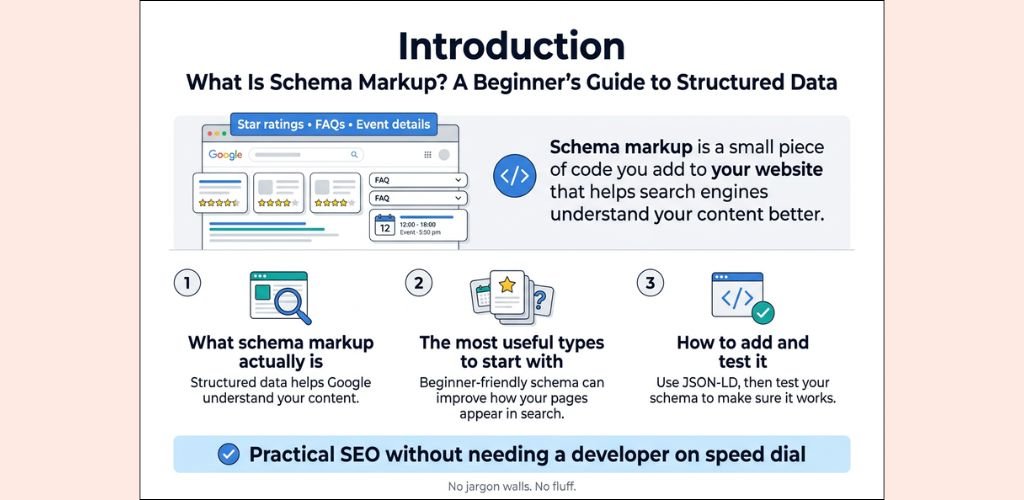
You’ve probably seen those search results that show star ratings, FAQs, prices, or event dates right on the Google results page. That’s schema markup doing its job — and your competitors are already using it.
If you’re a blogger, small business owner, or SEO trying to get more clicks without chasing a higher ranking, this guide is for you.
Here’s what we’re covering:
- What schema markup actually is and whether it moves the needle for real-world SEO
- The different schema markup types worth your time (and the ones you can skip)
- How to add schema markup to your website using beginner-friendly tools — no coding degree needed
By the end, you’ll know exactly where structured data SEO fits into your strategy and how to stop leaving free visibility on the table.
What Is Schema Markup and Why Should You Care
The Simple Definition Behind Schema Markup
Schema markup is a standardized code vocabulary — built on schema.org — that you add to your website’s HTML to help search engines clearly understand what your content means, not just what it says.
Think of it as giving Google a cheat sheet about your page.
How Search Engines Use Structured Data to Understand Content
Search engines are smart, but they still guess at context. Structured data markup removes that guesswork. When you tag a recipe, a product, or an FAQ with JSON-LD schema markup, Google reads those labels directly and knows exactly what each piece of content represents.
This powers rich results — those enhanced search snippets showing star ratings, prices, event dates, or FAQs directly in search results.
Why Schema Markup Gives You a Competitive Edge
Here’s what most sites ignore: schema markup SEO isn’t just about rankings — it’s about visibility real estate on the results page.
| Without Schema | With Schema |
|---|---|
| Plain blue link | Rich snippet with stars, images, FAQs |
| Lower click-through rate | Higher CTR from visual enhancements |
| Google interprets context | Google knows context precisely |
Sites using structured data SEO consistently earn better click-through rates, even without jumping positions — making it one of the smartest, lowest-effort wins available.
The Real Impact of Schema Markup on Search Performance
How Schema Markup Influences Rich Results and Featured Snippets
Schema markup signals search engines to display your content as rich results — star ratings, FAQs, product prices, and event dates directly in the SERPs. These enhanced listings grab attention before users even click.
The Truth About Schema Markup and Direct Ranking Benefits
Schema markup SEO doesn’t directly boost rankings. Google has confirmed structured data isn’t a ranking factor. What it does do is make your content easier to understand, which can indirectly improve how your pages perform over time.
Measurable Ways Schema Markup Improves Click-Through Rates
Rich snippets consistently outperform plain blue links. Here’s what the data shows:
| Listing Type | Average CTR Improvement |
|---|---|
| Review Stars | Up to 35% higher |
| FAQ Schema | 20–30% more clicks |
| Product Schema | Up to 40% increase |
Visual differentiation alone makes users more likely to choose your result over competitors.
What the Data Says About Organic Traffic Gains
- Search Engine Land reported a 20–30% CTR boost after implementing structured data markup
- Merkle found pages with JSON-LD schema markup saw measurable traffic lifts post-rich result activation
- Higher CTR signals user relevance, which search engines track and reward over time
Types of Schema Markup Worth Implementing
Article and Blog Post Schema for Content Creators
Article schema helps search engines understand your content’s author, publish date, and headline — making it eligible for Google’s Top Stories carousel. This is a straightforward win for bloggers and publishers.
Product and Review Schema for E-Commerce Success
Product schema pulls star ratings, pricing, and availability directly into search results. Shoppers see this before clicking, which drives higher-quality traffic and better conversion rates.
Local Business Schema for Dominating Local Search
Local business structured data markup puts your hours, address, phone number, and reviews front and center in local search. If you run a physical location, skipping this schema markup type is leaving money on the table.
FAQ and How-To Schema for Maximum SERP Visibility
FAQ schema expands your search result to show collapsible questions directly on the SERP — essentially doubling your real estate without earning a higher ranking. How-To schema works similarly, displaying step-by-step instructions visually in search results.
Event Schema for Driving More Targeted Traffic
Event schema highlights your date, location, and ticket information in search results. People actively searching for things to do are already primed to act, making this one of the highest-intent schema markup types available.
How to Add Schema Markup in Website
Using Google’s Structured Data Markup Helper for Beginners
This tool is perfect if you’re just starting out. Head to Google’s Structured Data Markup Helper, paste your URL or HTML, pick your content type (article, product, event), then highlight elements on your page and tag them. Google generates the JSON-LD schema markup code automatically — just copy and paste it into your site’s <head> section.
Adding Schema Markup Manually With JSON-LD Code
JSON-LD is Google’s preferred format for structured data SEO. Add it directly to your page inside a <script type="application/ld+json"> tag. Here’s a quick product example:
{
  "@context": "https://schema.org",
  "@type": "Product",
  "name": "Wireless Headphones",
  "offers": {
    "@type": "Offer",
    "price": "79.99"
  }
}
Implementing Schema Markup Through Popular CMS Plugins
| Platform | Recommended Plugin |
|---|---|
| WordPress | Yoast SEO, Rank Math, Schema Pro |
| Shopify | JSON-LD for SEO |
| Wix | Built-in structured data support |
These plugins handle schema markup automatically without touching code.
Testing and Validating Your Markup With Google’s Rich Results Test
Always validate before going live. Paste your URL into Google’s Rich Results Test to catch errors instantly and confirm your markup qualifies for rich snippets.
Common Schema Markup Mistakes That Kill Your Results
Using Irrelevant Schema Types That Mislead Search Engines
Slapping a “Product” schema on a blog post or marking up a contact page as a “LocalBusiness” with fake details is a fast track to Google penalties. Schema markup SEO only works when the structured data accurately reflects what’s on the page. Mismatched schema types confuse crawlers and can trigger manual actions that tank your rankings.
Marking Up Content That Is Hidden From Visitors
Google is explicit about this: don’t mark up content users can’t see. If your JSON-LD schema markup references a phone number, review, or product detail that isn’t visible on the page, that’s deceptive. Structured data must mirror your visible content, not add information that exists only in the code.
Ignoring Google’s Structured Data Quality Guidelines
Common violations that quietly kill results include:
- Missing required properties — Every schema markup type has mandatory fields. Skipping them means no rich result eligibility.
- Outdated or incorrect data — Prices, availability, or event dates that don’t match the live page will get flagged.
- Duplicate markup — Adding the same structured data multiple times creates conflicts.
Run your pages through Google’s Rich Results Test regularly to catch these issues before they cost you visibility.
Best Tools to Add Schema Markup for SEO
Top Schema Markup Tools Worth Using
Picking the right tool makes adding structured data markup way less painful. Here are the best options based on actual usefulness:
| Tool | Best For | Cost |
|---|---|---|
| Google’s Rich Results Test | Testing & validating schema | Free |
| Schema.org Markup Generator | Generating JSON-LD schema markup | Free |
| Rank Math (WordPress) | Auto schema for WordPress sites | Free/Paid |
| Yoast SEO | Schema markup SEO integration | Free/Paid |
| Merkle’s Schema Generator | Multiple schema markup types | Free |
| Schema App | Enterprise-level structured data | Paid |
Google’s Free Tools Are Non-Negotiable
Start with Google’s Rich Results Test and the Schema Markup Validator. Before anything goes live, run your structured data through these tools to catch errors that could tank your schema markup for search rankings.
Best Plugin Options for WordPress
If your site runs on WordPress, Rank Math handles most schema markup types automatically — FAQs, articles, products, reviews — without touching a single line of code.
When to Go Manual
For custom implementations or non-WordPress sites, hand-coding JSON-LD schema markup gives you the most control. Pair it with Merkle’s generator to build the base code, then customize as needed.
FAQ’s
> Which Plugins Help Add Schema Markup Easily?
- Yoast SEO – Handles basic schema markup automatically for WordPress sites
- Rank Math – Offers granular schema control with 20+ schema types built in
- Schema Pro – Dedicated plugin with point-and-click setup, no coding needed
- WP Schema Plugin – Lightweight option for simple structured data needs
> How to Implement Schema Markup in E-Commerce Product Pages
Add Product schema including name, price, availability, brand, and aggregateRating properties. JSON-LD format works best here — paste it into your product page template so it scales across thousands of listings automatically.
> What Is the Easiest Way to Implement Schema Markup on a Website?
Use Google’s Structured Data Markup Helper. Pick your content type, highlight elements on your page, tag them, then grab the generated JSON-LD code. Drop it into your <head> tag. Done. No developer required.
> How to Add Recipe Schema Markup for Food Blogs
Use Recipe schema with these key fields:
name,image,recipeIngredientrecipeInstructions,cookTime,prepTimenutrition,aggregateRating
Rank Math and Yoast both have dedicated recipe schema blocks that auto-generate this without touching code.
Conclusion
Schema markup isn’t just some technical SEO trick that only developers need to worry about. It’s a practical way to help search engines better understand your content and give users more reasons to click on your listing. From choosing the right schema types to avoiding common implementation mistakes, getting this right can make a real difference in how your pages show up in search results.
If you haven’t added schema markup to your site yet, now is a great time to start. Pick one or two schema types that match your content, use the tools mentioned in this post to generate and test your code, and keep an eye on your search performance over the next few weeks. Small, consistent steps like these are often what separate sites that rank well from those that get overlooked.