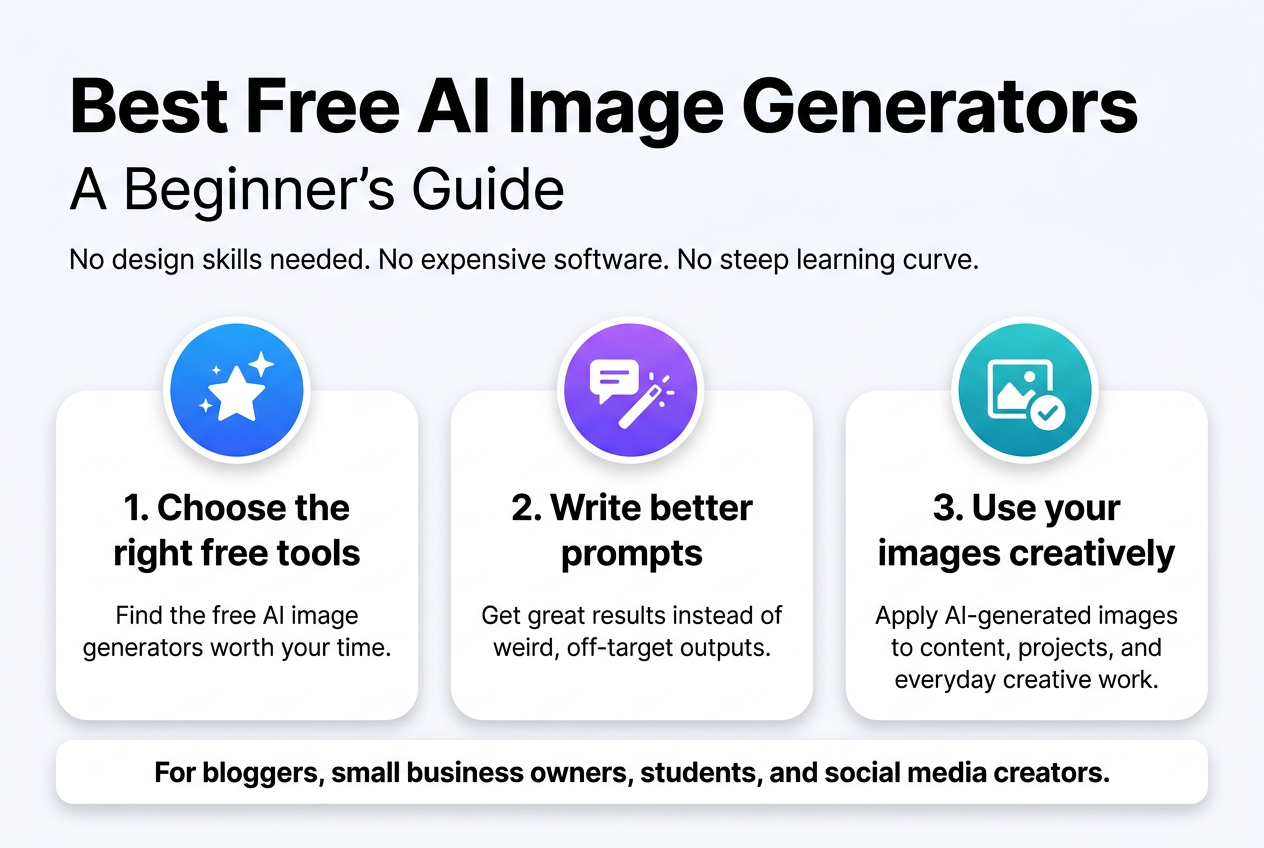
You typed something. A few seconds later, a stunning image appeared — no design skills needed, no expensive software, no steep learning curve. That’s exactly what the best free AI image generators can do for you right now.
This guide is for complete beginners — bloggers, small business owners, students, social media creators, or anyone curious about how to generate images with AI without spending a dollar.
Here’s what you’ll walk away knowing:
- Which free AI image generator tools are actually worth your time (and which ones overpromise)
- How to write prompts that get you great results instead of weird, off-target outputs
- Smart ways to put your AI-generated images to real use across content, projects, and everyday creative work
No fluff, no tech jargon. Just a straightforward look at the best free AI image generator apps and platforms available today, so you can pick one, try it out, and start creating something you’re proud of.
Table of Contents
What AI Image Generators Are and How They Work
Understanding the Basics of AI Image Generation
AI image generators turn your text descriptions into visual art using machine learning models trained on millions of images. When you type a prompt like “a sunset over a mountain lake,” the model interprets your words and builds an image pixel by pixel based on patterns it learned during training. Popular approaches include diffusion models (used by tools like Stable Diffusion and DALL·E) and GANs (Generative Adversarial Networks). The best free AI image generator platforms make this technology accessible without needing any coding skills — just type, generate, and download.
Learn more about Generative AI before using AI image tools.
How Free AI Tools Differ from Paid Alternatives
Free tools come with trade-offs like watermarks, limited daily generations, lower resolution outputs, or slower processing times. Paid plans unlock faster speeds, higher image quality, commercial usage rights, and more creative control. That said, beginners can still create genuinely impressive visuals using free tiers on platforms like Adobe Firefly, Microsoft Designer (Copilot), or Canva’s AI generator. Knowing how to generate images with AI effectively — through strong, detailed prompts — matters far more than your budget when you’re just starting out.
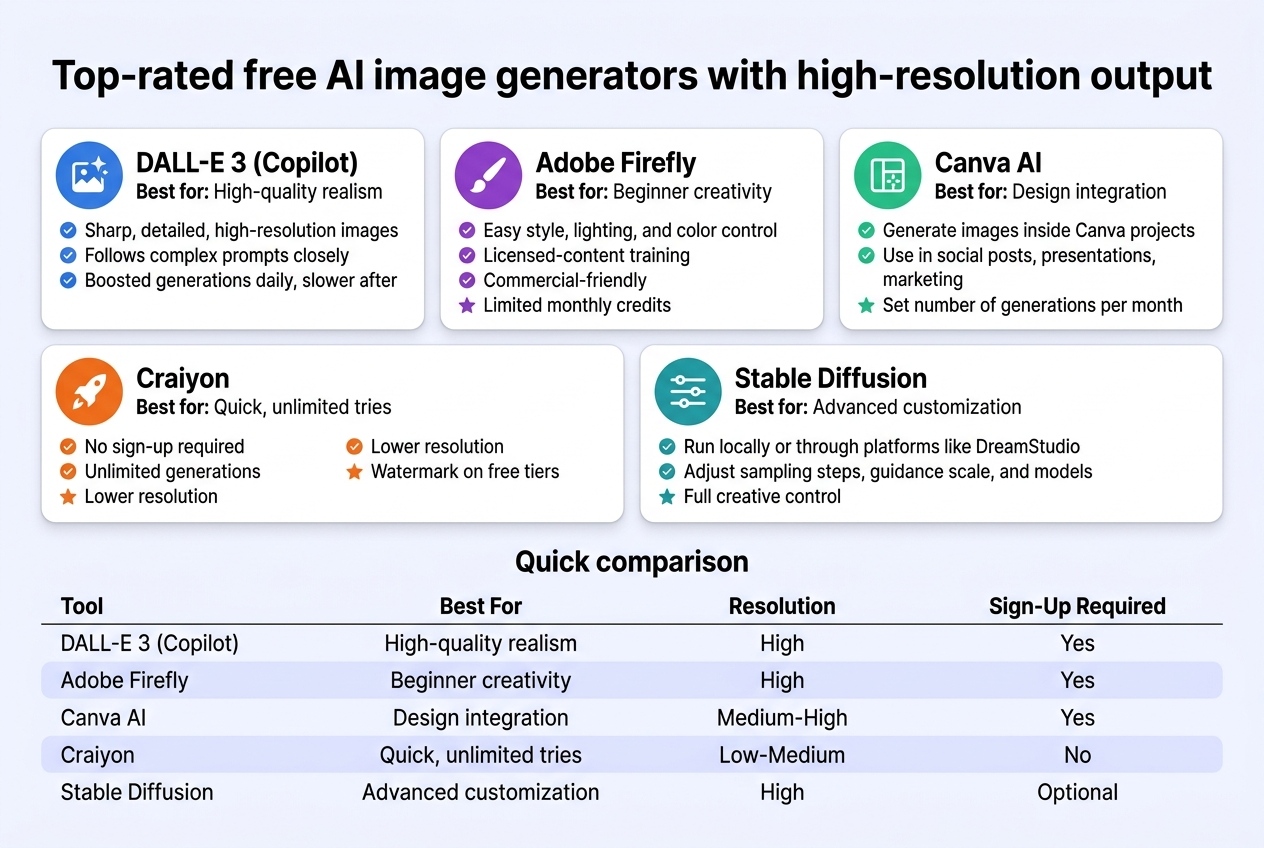
Top-rated free AI image generators with high-resolution output
A. DALL-E 3 via Microsoft Copilot for High-Quality Results
DALL-E 3, accessible for free through Microsoft Copilot, is hands-down one of the best free AI image generators available right now. It produces sharp, detailed, high-resolution images that closely follow your text prompts — even complex ones. You get up to a certain number of boosted generations daily, with slower speeds afterward. It handles realistic portraits, artistic styles, and imaginative scenes equally well.
B. Adobe Firefly for Beginner-Friendly Creative Control
Adobe Firefly is perfect if you want creative control without a steep learning curve. Its clean interface makes it easy to adjust styles, lighting, and color moods. Firefly is trained on licensed content, which makes it a safer pick for commercial use. Free accounts get a limited monthly credit allocation.
C. Canva AI for Easy Image Creation Within Design Projects
Canva’s built-in AI image generator is a dream for anyone already using Canva for design work. You can generate images and drop them straight into social posts, presentations, or marketing materials — no switching between apps. Free users get a set number of generations per month.
D. Craiyon for Unlimited Free Generations with No Sign-Up
Craiyon is the go-to option when you want to generate images with AI without creating an account or spending a cent. It offers unlimited generations, though images are lower resolution and include a watermark on free tiers. Great for quick experimentation and idea sketching.
E. Stable Diffusion for Advanced Users Seeking Full Control
Stable Diffusion gives technically savvy users total control over their outputs. Run it locally or through platforms like DreamStudio. You can tweak sampling steps, guidance scales, and models to get highly customized results — making it the best free AI image generator app for users who want real creative depth.
| Tool | Best For | Resolution | Sign-Up Required |
|---|---|---|---|
| DALL-E 3 (Copilot) | High-quality realism | High | Yes |
| Adobe Firefly | Beginner creativity | High | Yes |
| Canva AI | Design integration | Medium-High | Yes |
| Craiyon | Quick, unlimited tries | Low-Medium | No |
| Stable Diffusion | Advanced customization | High | Optional |
How to Write Effective Prompts for Better Images
Using Descriptive Language to Guide AI Output
Getting great results from the best free AI image generator comes down to how well you describe what you want. Think of it like giving directions to an artist — the more specific you are, the better the outcome. Instead of typing “a cat,” try “a fluffy orange tabby cat sitting on a sunlit windowsill, photorealistic, warm golden-hour lighting.” Include details about style, mood, lighting, color palette, and perspective. Words like “cinematic,” “macro shot,” or “watercolor illustration” dramatically shape the final image.
Avoiding Common Prompt Mistakes That Reduce Quality
Many beginners struggle when they first learn how to generate images with AI because they keep prompts too vague or accidentally include conflicting details. Avoid stacking too many unrelated subjects in one prompt — it confuses the model. Skip filler words like “nice” or “good” that carry no visual meaning. Also, don’t forget negative prompts (where supported), which let you exclude unwanted elements like blurry backgrounds or extra fingers, keeping your results sharp and intentional.
Practical Ways to Use AI-Generated Images
Enhancing Blog Posts and Social Media Content
Pairing your written content with eye-catching visuals makes a real difference in how people engage with it. Using the best free AI image generator tools like Adobe Firefly or Microsoft Designer, bloggers can whip up custom featured images, Pinterest graphics, and Instagram posts in minutes — no design skills needed.
Creating Visuals for Small Business Marketing Materials
Small business owners can skip expensive design agencies by using a free AI image generator to produce promotional banners, product mockups, and flyers quickly.
Producing Concept Art and Creative Project Inspiration
Artists and writers use AI-generated images to sketch out early ideas, mood boards, and scene concepts before committing to a full project.
How to Create Digital Art Using a Free AI Image Generator
Knowing how to generate images with AI is straightforward:
- Choose a platform (Canva AI, Bing Image Creator, or Craiyon)
- Write a clear, descriptive prompt
- Adjust style settings if available
- Download and refine as needed
Generating Custom Illustrations Without Hiring a Designer
With the best free AI image generator app, you can produce unique illustrations tailored to your brand’s tone, saving both time and budget while keeping your content visually fresh.
Limitations and Ethical Considerations to Keep in Mind
Recognizing Common Quality Issues and How to Fix Them
Even the best free AI image generator tools produce imperfect results sometimes. Blurry faces, extra fingers, or weird background distortions are super common. The fix is usually simpler than you’d think — tweak your prompt with more specific details, adjust the style keywords, or regenerate a few times. Most free AI image generator platforms also let you upscale or refine outputs, so take advantage of those built-in tools before giving up on an image.
Using AI Responsibly Without Misleading Your Audience
When you generate images with AI, always be upfront about it — especially if you’re publishing content online. Passing off AI art as original photography or human-made illustrations can seriously damage your credibility. Add a simple disclosure like “AI-generated image” in captions or credits. Avoid creating realistic fake images of real people, spreading misinformation, or using AI visuals in contexts where authenticity genuinely matters, like news reporting or medical content.
Best free AI image generator platforms available online
Top Platforms Worth Bookmarking
Finding the best free AI image generator comes down to what you actually need. Adobe Firefly gives you clean, commercially safe images right from your browser. Microsoft Designer (Bing Image Creator) runs on DALL-E and gives solid results with no signup headache. Canva’s AI image tool fits perfectly if you already design there. Playground AI and Leonardo.ai offer more creative control with style options that go beyond basic prompts.
Quick Platform Comparison
| Platform | Free Tier | Best For |
|---|---|---|
| Adobe Firefly | ✅ 25 credits/month | Commercial-safe images |
| Bing Image Creator | ✅ Unlimited (boosted) | Quick everyday use |
| Canva AI | ✅ Limited generations | Design projects |
| Leonardo.ai | ✅ 150 tokens/day | Artistic, detailed art |
| Playground AI | ✅ 500 images/day | High-volume creators |
Learning how to generate images with AI gets easier once you pick one platform and stick with it. Each has its own quirks, but they all reward users who spend time experimenting with prompts.
What are the top free AI image generators?
Top Free AI Image Generators Worth Trying
The best free AI image generators right now include Canva AI, Adobe Firefly, Microsoft Designer (powered by DALL·E), Stable Diffusion, and Leonardo.ai. Each platform lets you generate stunning visuals without spending a dime — at least to start. Some offer daily free credits, while others give you unlimited generations with a watermark.
Which One Should You Pick?
Choosing the right free AI image generator really comes down to your use case. Need quick social graphics? Canva AI is your go-to. Want ultra-realistic outputs? Leonardo.ai delivers. Exploring artistic styles? Stable Diffusion gives you the most creative freedom. Here’s a quick comparison:
| Platform | Free Tier | Best For |
|---|---|---|
| Canva AI | Limited credits | Social media graphics |
| Adobe Firefly | 25 credits/month | Commercial-safe images |
| Microsoft Designer | Daily generations | Quick, polished visuals |
| Leonardo.ai | 150 tokens/day | Realistic & detailed art |
| Stable Diffusion | Unlimited (local) | Advanced customization |
Compare free online AI art creation platforms
Platform-by-Platform Breakdown
Picking the best free AI image generator really comes down to what you need most — speed, quality, creative control, or how many images you can generate without hitting a paywall. Here’s a side-by-side look at the most popular free options to help you decide fast
| Platform | Free Images/Day | Resolution | Best For | Prompt Flexibility |
|---|---|---|---|---|
| Adobe Firefly | 25 credits/month | High | Professional, safe-to-use images | High |
| Canva AI | Limited free generations | Medium-High | Social media & design projects | Medium |
| Microsoft Designer (DALL·E) | 15 boosts/day | High | Quick, detailed generations | High |
| Craiyon | Unlimited | Low-Medium | Casual experimentation | Low |
| Bing Image Creator | 15 fast + slow unlimited | High | Everyday use, photo-realistic output | High |
| Stable Diffusion (online) | Unlimited (some sites) | High | Advanced, artistic customization | Very High |
Which One Should You Actually Use?
If you’re just starting out and want to generate images with AI without any learning curve, Bing Image Creator or Microsoft Designer are your best bets — they’re completely free, fast, and surprisingly powerful. For design-specific work, Canva’s built-in AI fits right into your existing workflow. Power users who want full creative control will love Stable Diffusion-based platforms, though they do require a bit more patience to master.
FAQ’s
Where Can I Find a Free AI Tool to Create Images?
Finding the best free AI image generator is easier than ever. Platforms like Adobe Firefly, Microsoft Designer (Bing Image Creator), Canva AI, and Leonardo.ai all offer free tiers with solid image quality. For beginners figuring out how to generate images with AI, Bing Image Creator is a great starting point — no complicated setup, just type your prompt and go.
Free AI Image Generators That Support Indian Regional Languages
Most mainstream AI image tools work best with English prompts, but you can still describe scenes in transliterated Hindi, Tamil, or Bengali and get decent results. Adobe Firefly and Canva AI handle multi-language inputs reasonably well.
Best No-Cost AI Image Maker for Beginners
Canva’s free AI image generator stands out as the best free AI image generator app for beginners — clean interface, drag-and-drop simplicity, and no technical knowledge needed.
Best Websites Offering Free AI Image Generation for Personal Use
| Platform | Free Tier | Best For |
|---|---|---|
| Bing Image Creator | Yes | Quick personal projects |
| Adobe Firefly | Yes | High-quality personal art |
| Leonardo.ai | Yes | Creative exploration |
| Canva AI | Yes | Social media graphics |
AI image generators have completely changed the game for anyone who wants to create stunning visuals without needing design skills or a big budget. From understanding how these tools work to writing prompts that actually get you the results you want, the key is just jumping in and experimenting. The best free platforms out there give you more than enough power to create high-quality images for personal projects, social media, or even professional use.
Just keep in mind that these tools come with some limitations, and being mindful of the ethical side of AI-generated art matters too. Start with one platform, play around with your prompts, and see what clicks for you. The more you use these tools, the better you get at speaking their language — and before long, you’ll be creating images that look like they took hours to make, in just a few seconds.