You’re putting in the work — writing content, tweaking your site, maybe even building a few links — but your rankings just won’t budge. Sound familiar?
Here’s the hard truth: most website owners aren’t failing because they’re not trying. They’re failing because they’re making common SEO mistakes that quietly sabotage everything they build.
This guide is for bloggers, small business owners, and anyone who manages their own website and wants to stop leaving traffic on the table. If you’ve ever Googled “why isn’t my site ranking,” you’re in the right place.
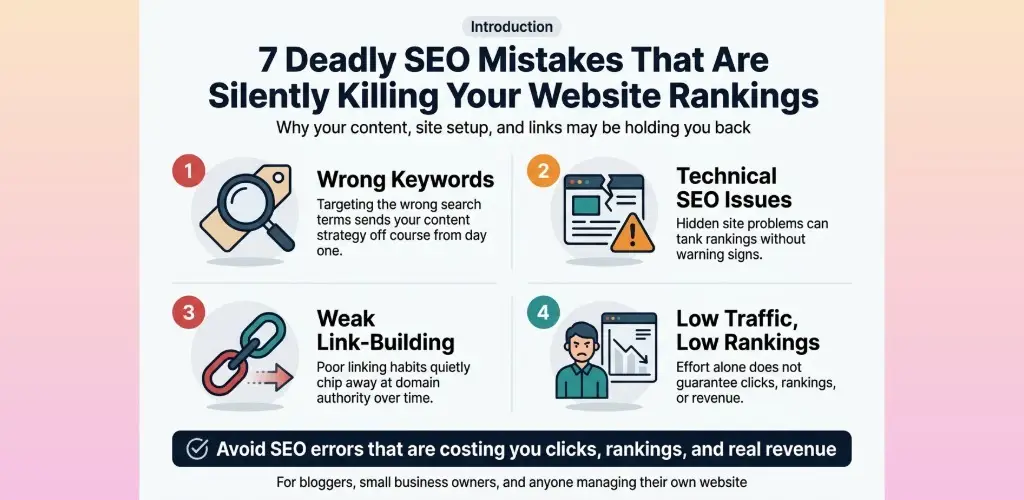
We’ll walk you through the exact SEO mistakes beginners make — and some that even experienced site owners overlook. You’ll see how picking the wrong keywords can send your content strategy in the wrong direction from day one, why technical SEO issues can tank your rankings without a single warning sign, and how weak link-building habits quietly chip away at your domain authority over time.
By the end, you’ll know exactly what to avoid SEO errors that are costing you clicks, rankings, and real revenue — and what to do instead.
Let’s get into it.
Table of Contents
Keyword Research Mistakes That Hurt Your Rankings
A. Stop Targeting Overly Broad Keywords That Drive No Conversions
One of the most common SEO mistakes beginners make is going after big, flashy keywords because the search volume looks impressive. “Shoes,” “marketing,” “fitness” — these terms get millions of searches every month, so it feels logical to target them. The problem? You’re competing against massive brands with decades of authority, and even if you somehow rank, the people clicking through aren’t necessarily looking for what you’re selling.
Broad keywords attract window shoppers. Someone searching “shoes” might want to read about shoe history, look at celebrities’ sneakers, or shop from a brand you’ve never heard of. There’s zero purchase intent baked into that query.
Here’s how broad vs. specific keywords compare in real-world performance:
| Keyword Type | Example | Search Volume | Competition | Conversion Rate |
|---|---|---|---|---|
| Overly Broad | “running shoes” | 500K+/month | Extremely High | Very Low |
| Specific/Niche | “best trail running shoes for flat feet” | 2K/month | Low-Medium | High |
| Transactional | “buy waterproof trail running shoes online” | 800/month | Low | Very High |
The pattern is clear — lower volume keywords with specific intent almost always outperform broad terms when it comes to actual business results.
What to do instead:
- Use tools like Ahrefs, Semrush, or Google Keyword Planner to identify keywords with manageable difficulty scores
- Focus on keywords that have clear commercial or informational intent tied to your niche
- Look at your competitors’ ranking pages and identify which specific terms are actually driving their traffic
- Target keywords where your content can realistically compete within the next 6–12 months
Chasing vanity metrics like huge search volumes is one of the biggest SEO fails out there. Smaller, more targeted keywords will consistently bring in visitors who are much more likely to take action.
B. Avoid Ignoring Long-Tail Keywords That Attract Ready-to-Buy Visitors
Long-tail keywords are the hidden goldmine that most websites completely overlook. These are phrases with three or more words that are super specific — things like “affordable email marketing tools for small nonprofits” or “how to remove coffee stains from a white linen shirt.” They don’t get massive search volumes, but they make up roughly 70% of all Google searches.
The people typing long-tail queries into Google already know what they want. They’ve done their research, narrowed down their options, and they’re close to making a decision. That’s exactly who you want landing on your pages.
Why long-tail keywords work so well:
- Lower competition — Fewer websites are specifically targeting these phrases, so it’s easier to rank
- Higher relevance — Your content can match exactly what the user is looking for
- Better conversion rates — Specific searchers are further down the buying journey
- Easier to rank faster — New sites can see results in weeks instead of years
How to find solid long-tail keywords:
- Type your main keyword into Google and look at the autocomplete suggestions
- Scroll to the “People Also Ask” and “Related Searches” sections at the bottom of the results page
- Use tools like AnswerThePublic or AlsoAsked to discover question-based long-tail phrases
- Check your existing Google Search Console data — you may already rank for long-tail terms you’ve never consciously targeted
- Browse Reddit, Quora, and niche forums where your audience actually talks and pay attention to the specific language they use
Avoiding this SEO error is especially critical for new websites. If your domain authority is still building up, going after long-tail keywords is essentially your shortcut to getting real organic traffic while you work on growing your overall site authority.
C. Fix Keyword Cannibalization to Boost Your Page Authority
Keyword cannibalization is sneaky. It happens when multiple pages on your site target the same keyword or very similar ones, causing your own pages to compete against each other in search results. Google gets confused about which page deserves to rank, so instead of one strong page climbing to the top, you end up with two or three mediocre pages splitting the signals.
This is a classic SEO mistake that even experienced marketers miss because it often develops gradually as a site grows.
Signs you might have a cannibalization problem:
- Your rankings for a specific keyword keep fluctuating wildly
- Two of your own pages show up for the same search query
- A weaker, older page outranks a newer, more comprehensive page on the same topic
- Your organic traffic has plateaued even though you’re publishing regularly
How to diagnose it:
Run a simple Google search using this operator:
site:yourdomain.com “target keyword”
If more than one page shows up, you likely have cannibalization happening. You can also use tools like Semrush’s Site Audit or Ahrefs’ Site Explorer to get a full picture across your entire site.
How to fix it:
| Fix | When to Use It |
|---|---|
| Consolidate pages | Merge two similar pages into one stronger, more comprehensive page |
| 301 Redirect | If one page is clearly weaker, redirect it to the stronger version |
| Canonical tags | When you need both pages to exist but want Google to prioritize one |
| Internal linking | Update your internal links to point primarily to the page you want to rank |
| Differentiate content | If both pages need to exist, make sure they target clearly different angles or intent |
Fixing cannibalization can produce noticeable ranking improvements relatively quickly because you’re consolidating authority signals rather than diluting them across multiple pages.
D. Use Search Intent to Match Content With What Users Actually Want
Search intent is the “why” behind every Google search. It’s the reason someone is typing those specific words, and getting it wrong is one of the most damaging SEO errors you can make — even if everything else on your page is technically perfect.
Google has gotten extremely good at understanding what users actually want, not just the literal words they type. If your content doesn’t match that intent, Google will push it down regardless of how well-optimized it is.
The four main types of search intent:
- Informational — The user wants to learn something. Example: “how does SEO work”
- Navigational — The user is trying to find a specific website or brand. Example: “Ahrefs login”
- Commercial — The user is researching options before buying. Example: “best SEO tools 2024”
- Transactional — The user is ready to take action or buy. Example: “buy Semrush subscription”
Common intent mismatches that kill rankings:
- Writing a blog post for a keyword where Google’s top results are all product pages (transactional intent)
- Publishing a product landing page for a keyword where all top results are how-to guides (informational intent)
- Creating a short overview article when Google’s results show that users want deep, comprehensive guides
How to nail search intent every time:
- Google your target keyword before writing a single word
- Look at the top 5–10 results — notice the content format (list post, video, product page, comparison guide)
- Identify the dominant content type and model your approach accordingly
- Pay attention to the specific subtopics covered across the top-ranking pages
- Match the depth and detail level that seems to satisfy users for that particular search
Aligning with search intent isn’t just a good SEO practice — it’s the foundation of creating content that actually ranks and keeps people on your page. Mismatching intent is one of the most overlooked SEO mistakes beginners make, and fixing it can turn underperforming pages into consistent traffic drivers with minimal additional effort.
On-Page SEO Errors That Reduce Your Visibility
A. Optimize Title Tags and Meta Descriptions to Increase Click-Through Rates
One of the most common SEO mistakes beginners make is treating title tags and meta descriptions like an afterthought. These two elements are essentially your storefront window — they’re the first thing a user sees on a search results page, and they directly influence whether someone clicks your link or scrolls past it.
Title Tags: Get Them Right
Your title tag should do three things simultaneously: include your target keyword, communicate clear value, and stay within the 50–60 character limit so it doesn’t get cut off in search results.
Common title tag mistakes to avoid:
- Stuffing multiple keywords into one title (it looks spammy and Google doesn’t reward it)
- Writing vague titles like “Home” or “Blog Post” that tell users nothing
- Duplicating title tags across multiple pages
- Going over 60 characters and having your title truncated mid-sentence
A well-crafted title tag looks something like this:
| Weak Title Tag | Optimized Title Tag |
|---|---|
| SEO Tips | 7 SEO Mistakes Killing Your Website Rankings (And How to Fix Them) |
| Services Page | Affordable Web Design Services for Small Businesses |
| Blog | Digital Marketing Blog – Actionable Tips That Actually Work |
Meta Descriptions: Don’t Skip Them
A meta description doesn’t directly affect your ranking, but it massively affects your click-through rate (CTR). Google uses CTR as a signal of relevance. A page with a high CTR tells Google that users find it valuable — which can push your rankings higher over time.
Keep your meta descriptions between 150–160 characters, include your primary keyword naturally, and write them like a mini-advertisement. Think about what problem your reader is trying to solve and tell them you have the answer — right there in those two lines.
Quick meta description checklist:
- Includes target keyword
- Has a clear value proposition or call to action
- Falls between 150–160 characters
- Unique for every page on your site
- Reads naturally — not like a keyword list
Skipping this step is one of those SEO fails that silently hurts you because nothing looks broken on the surface, but your traffic quietly suffers month after month.
B. Use Header Tags Correctly to Improve Readability and Rankings
Header tags (H1, H2, H3, and so on) are more than just formatting tools — they’re structural signals that tell both readers and search engines what your content is about and how it’s organized.
The H1 Tag Rule
Every page should have exactly one H1 tag, and it should match or closely align with your primary keyword and title tag. Think of it as the headline of your page. Websites that either skip the H1 entirely or throw in multiple H1s are making a classic on-page SEO error that creates confusion for search engine crawlers.
H2s and H3s: Your Content’s Skeleton
H2 tags are your main section headers. H3s break those sections down into smaller chunks. Using them in a logical, hierarchical way makes your content easier to scan, which keeps readers on your page longer — and lower bounce rates are something Google pays attention to.
How to use header tags properly:
- H1 → Page title / primary keyword focus (used once)
- H2 → Main sections of your content (used multiple times)
- H3 → Subsections under each H2 (used as needed)
- H4+ → Deep breakdowns within H3 sections (use sparingly)
Header Tag Mistakes That Hurt Your SEO
Many people avoid SEO errors in obvious areas but completely overlook their header structure. Here’s what typically goes wrong:
- Using headers just for styling — bolding text with an H2 because it looks nice, even when it’s not a new section
- Skipping the hierarchy — jumping from H1 straight to H4 with no logical flow
- Keyword stuffing headers — cramming your keyword into every single H2 and H3 unnaturally
- Missing keyword opportunities — having headers that are totally generic when a slight tweak could include a relevant search term naturally
A good rule of thumb: write your headers for the reader first. If they make sense to a human skimming your page, they’ll also make sense to a search engine.
C. Add Alt Text to Images to Capture More Organic Traffic
Images are a massive missed opportunity for most websites. Google cannot “see” images the way humans do — it reads the alt text you assign to them to understand what’s in the picture. Leaving alt text blank is one of those SEO mistakes beginners make that seems minor but adds up significantly, especially on image-heavy sites.
What Is Alt Text and Why Does It Matter?
Alt text (alternative text) is a short description of an image that gets embedded in your HTML. It serves two main purposes:
- Accessibility — Screen readers use alt text to describe images to visually impaired users
- SEO — Search engines read alt text to index images and understand the surrounding content
When your images are properly labeled, they become eligible to appear in Google Image Search — an entire additional traffic channel that most people completely ignore.
How to Write Good Alt Text
Good alt text is descriptive, specific, and natural. It’s not a keyword dump — it’s a genuine description of what’s in the image, with a keyword worked in only when it fits organically.
| Image | Bad Alt Text | Good Alt Text |
|---|---|---|
| A person typing on a laptop | “laptop SEO tips blog keywords” | “Blogger writing an SEO-optimized blog post on a laptop” |
| A bar chart showing traffic growth | “chart image” | “Website traffic growth chart showing 300% increase after SEO audit” |
| A team in a meeting | “team” | “Digital marketing team reviewing SEO strategy in a conference room” |
Quick Alt Text Rules to Follow
- Keep it under 125 characters
- Describe what’s actually in the image
- Include a relevant keyword only if it fits naturally
- Skip decorative images (use alt=”” for images that are purely visual filler)
- Never repeat the same alt text across different images
Getting your alt text right is one of the simplest wins in on-page SEO, and it’s consistently overlooked. Taking an hour to audit every image on your site could open up a consistent stream of organic traffic you didn’t know you were leaving behind.
Technical SEO Issues That Silently Damage Your Site
A. Improve Page Speed to Reduce Bounce Rates and Retain Visitors
Page speed is one of those technical SEO issues that quietly wrecks your rankings while you’re busy focusing on other things. Google has been crystal clear about this — slow pages get penalized. But beyond rankings, a slow website just frustrates people. If your page takes more than 3 seconds to load, studies show that over 50% of visitors will bail before they even see your content.
Here’s what’s typically dragging your page speed down:
- Uncompressed images — Large image files are usually the number one culprit. Always compress images before uploading using tools like TinyPNG or ShortPixel.
- Too many HTTP requests — Every script, stylesheet, and plugin your page loads adds to the request count. Trim the fat.
- No browser caching — If you’re not caching static resources, every visitor reloads everything from scratch.
- Render-blocking JavaScript — Scripts that load before your page content will delay what users actually see.
- Slow hosting — Cheap shared hosting can cap your speed ceiling no matter how well you optimize everything else.
Tools to Check and Fix Page Speed
| Tool | What It Does |
|---|---|
| Google PageSpeed Insights | Gives a score and specific recommendations |
| GTmetrix | Detailed waterfall breakdown of load times |
| Pingdom | Tests speed from different global locations |
| WebPageTest | Advanced performance diagnostics |
Aim for a load time under 2 seconds. Core Web Vitals — specifically LCP (Largest Contentful Paint), FID (First Input Delay), and CLS (Cumulative Layout Shift) — are Google’s official page experience signals. Ignoring them is one of the most common SEO mistakes that beginners make, often because these issues aren’t visible on the surface.
Quick wins to improve speed:
- Enable GZIP or Brotli compression on your server
- Use a CDN (Content Delivery Network) to serve assets closer to your visitors
- Minify CSS, JavaScript, and HTML
- Switch to a faster hosting provider or upgrade your plan
- Lazy load images and videos so they only load when needed
B. Fix Crawl Errors to Ensure Search Engines Index Your Pages
Search engines can’t rank pages they can’t find or crawl. Crawl errors are silent killers — your site might look perfectly fine to a human visitor, but Googlebot could be hitting dead ends everywhere.
The most common crawl errors include:
- 404 errors — Pages that no longer exist but still have links pointing to them
- 500 server errors — Your server is failing to respond properly to requests
- Blocked URLs in robots.txt — Pages accidentally blocked from being crawled
- Redirect chains and loops — Multiple redirects in a row slow crawlers down and waste crawl budget
- Broken internal links — Links pointing to pages that have moved or been deleted
How to Find and Fix Crawl Errors
Google Search Console is your best friend here. Head to the Coverage report and look for errors and excluded pages. Pay attention to:
- ages with “Not Found (404)” status
- Pages marked as “Excluded by noindex tag” that shouldn’t be excluded
- Pages blocked by robots.txt that you actually want indexed
Steps to fix crawl errors:
- Log into Google Search Console → Coverage Report
- Export all error URLs
- For 404s — either restore the page, redirect it to a relevant live page with a 301 redirect, or remove all links pointing to it
- For incorrectly blocked pages — check your robots.txt file and remove any mistaken disallow rules
- For redirect chains — clean them up so each redirect goes directly to the final destination
- Resubmit your sitemap after making fixes
One thing that often gets overlooked is crawl budget. Bigger websites especially need to be careful here. If Google is wasting its crawl budget on error pages, low-quality pages, or infinite URL parameters, your important pages get crawled less often — which directly impacts how quickly new content gets indexed and ranked.
C. Implement Mobile Optimization to Reach a Wider Audience
Google switched to mobile-first indexing, which means the mobile version of your website is what Google primarily uses to determine your rankings. If your mobile experience is bad, your rankings will suffer — even for desktop searches.
Skipping mobile optimization is a classic SEO fail that hurts brands more than they realize, especially since over 60% of web traffic now comes from mobile devices.
What Mobile Optimization Actually Means
It’s not just about having a responsive design (though that’s the foundation). True mobile optimization includes:
- Responsive design — Your layout adapts to any screen size without breaking
- Touch-friendly navigation — Buttons and links are large enough to tap without accidentally hitting the wrong one
- Readable text without zooming — Font size should be at least 16px for body text
- No intrusive interstitials — Pop-ups that cover the entire screen on mobile get penalized by Google
- Fast mobile load time — Mobile connections are often slower, so speed matters even more here
- Accessible content — Videos, images, and interactive elements work properly on touchscreens
Common Mobile SEO Mistakes to Avoid
| Mistake | Why It’s a Problem |
|---|---|
| Using Flash | Not supported on most mobile browsers |
| Blocking CSS/JS/images in robots.txt | Prevents Google from rendering your page properly |
| Small clickable elements | Frustrates users, increases bounce rate |
| Horizontal scrolling required | Signals poor mobile experience to Google |
| Different content on mobile vs. desktop | Can confuse Google’s indexing |
How to test your mobile optimization:
- Use Google’s Mobile-Friendly Test tool
- Check the Mobile Usability report in Google Search Console
- Manually browse your site on multiple devices and screen sizes
- Run a Lighthouse audit in Chrome DevTools
D. Use Canonical Tags to Eliminate Duplicate Content Problems
Duplicate content is a sneaky technical issue that many site owners don’t even know they have. When Google finds multiple pages with the same or very similar content, it doesn’t know which version to rank — so it often ranks none of them well. This dilutes your ranking power across multiple URLs instead of concentrating it on one strong page.
Canonical tags are the fix. A canonical tag (<link rel=”canonical” href=”URL”>) tells Google which version of a page is the “official” one worth ranking.
Where Duplicate Content Comes From
You might think you’d know if you had duplicate content, but it often happens without you realizing it:
- HTTP vs. HTTPS versions of the same page both being accessible
- WWW vs. non-WWW versions both loading (e.g., www.site.com and site.com)
- URL parameters creating separate URLs for filtered or sorted versions of a page (e.g., ?color=red&size=large)
- Printer-friendly page versions with different URLs
- Scraped or syndicated content — your content published elsewhere without a canonical pointing back to you
- Similar product pages in e-commerce with minor variations
How to Implement Canonical Tags Correctly
<link rel=”canonical” href=”https://www.yoursite.com/preferred-page-url/” />
This goes in the <head> section of your HTML. A few rules to get right:
- Self-referencing canonicals are good practice — every page should have a canonical pointing to itself (unless it’s a duplicate)
- Canonical tags should point to the final, preferred URL — not to a URL that itself has a canonical pointing elsewhere
- Use absolute URLs, not relative ones
- Make sure the canonical URL is actually accessible and returns a 200 status code
Avoiding SEO errors like duplicate content can make a surprising difference in how well your key pages rank, especially in competitive niches where every ranking signal counts.
E. Secure Your Site With HTTPS to Build Trust and Improve Rankings
If your website is still running on HTTP in 2024, you’re actively hurting yourself. Google confirmed HTTPS as a ranking signal back in 2014, and since then it’s become even more important. Chrome now flags HTTP sites as “Not Secure” in the browser bar — and that warning alone is enough to make most visitors immediately leave.
HTTPS encrypts the data transferred between a visitor’s browser and your server. This protects user information and builds the kind of trust that keeps people on your site.
Why HTTPS Matters for SEO
- Direct ranking boost — Google gives a slight preference to HTTPS sites over HTTP ones
- Referral data preservation — When traffic passes from an HTTPS site to an HTTP site, the referral data gets stripped. You end up seeing that traffic as “direct” in your analytics instead of knowing where it came from.
- User trust signals — The padlock icon reassures visitors that your site is safe, which reduces bounce rates
- Required for HTTP/2 — The faster HTTP/2 protocol only works on HTTPS connections
- AMP requirements — Google’s AMP pages require HTTPS
How to Move From HTTP to HTTPS
- Purchase an SSL certificate (or use a free one from Let’s Encrypt)
- Install and activate the SSL certificate on your server
- Update your site’s URL in Google Search Console and your analytics platform
- Set up 301 redirects from all HTTP pages to their HTTPS equivalents
- Update all internal links to use HTTPS
- Update your XML sitemap to include HTTPS URLs
- Check for mixed content warnings (HTTP resources loading on HTTPS pages) using Chrome DevTools
Common HTTPS Migration Mistakes
| Mistake | Consequence |
|---|---|
| Not setting up 301 redirects | Losing link equity and getting 404 errors |
| Forgetting to update the sitemap | Google continues crawling old HTTP URLs |
| Mixed content issues | Browser warnings even on “secure” pages |
| Not updating internal links | Unnecessary redirect hops slow down the site |
| Missing re-verification in Search Console | Losing visibility into your search performance data |
Getting your SSL certificate set up wrong, or failing to redirect properly, is one of those technical SEO mistakes beginners make that can cause a significant traffic drop after migration. Take the time to do it right — the long-term payoff in trust, rankings, and user confidence is absolutely worth it.
Link Building Mistakes That Weaken Your Domain Authority
A. Avoid Low-Quality Backlinks That Trigger Search Engine Penalties
One of the most common SEO mistakes beginners make is chasing backlink quantity over quality. It feels logical — more links should mean more authority, right? Wrong. Google’s algorithms have gotten extremely good at spotting manipulative link patterns, and a handful of toxic backlinks can drag your entire domain down faster than you’d expect.
What counts as a low-quality backlink?
- Links from spammy directories that exist purely to sell links
- Backlinks from websites with zero relevance to your niche
- Links from private blog networks (PBNs) designed to game search engines
- Footer or sidebar links stuffed into hundreds of unrelated sites
- Links from sites with extremely low domain authority and no real traffic
- Paid links that violate Google’s link scheme guidelines
These types of links send a clear signal to search engines that something shady is going on. Google’s Penguin algorithm specifically targets unnatural link profiles, and if your site gets caught in its crosshairs, you could face a manual penalty or an algorithmic ranking drop that takes months to recover from.
How to identify and clean up toxic backlinks:
| Action | Tool to Use | Why It Matters |
|---|---|---|
| Audit your backlink profile | Ahrefs, SEMrush, Moz | Spot harmful links before they cause damage |
| Check spam scores | Moz Link Explorer | Identify domains with high spam scores |
| Disavow toxic links | Google Search Console Disavow Tool | Tell Google to ignore specific bad links |
| Monitor new backlinks | Google Alerts, Ahrefs Alerts | Catch negative SEO attacks early |
Running a backlink audit at least once a quarter is a smart habit. If you spot links from sites that look completely unrelated, have a spam score above 30%, or appear to be part of link farms, start building your disavow file. You don’t want to ignore them and hope for the best — these SEO fails compound over time.
One thing to keep in mind: disavowing legitimate links by mistake can hurt you too. Be surgical about it. Focus only on links that are clearly manipulative or coming from penalized domains.
B. Build Internal Links Strategically to Spread Page Authority Across Your Site
Most site owners put all their energy into getting external backlinks while completely ignoring the linking structure within their own website. That’s a huge missed opportunity. Internal links are one of the most underrated tools you have for controlling how page authority flows across your site and how search engines crawl and index your content.
Think of your website like a city. Your homepage is the city center — it gets the most traffic and carries the most authority. Internal links are the roads connecting that city center to your neighborhoods (category pages, pillar posts) and then to individual streets (individual blog posts, product pages). If some pages are completely cut off from those roads, search engines struggle to find them, and they never get the authority boost they deserve.
Key principles of strategic internal linking:
Use Descriptive Anchor Text
Avoid generic anchor text like “click here” or “read more.” Instead, use anchor text that naturally describes the content you’re linking to. For example, linking with the phrase “common SEO mistakes” rather than “this article” gives Google a clearer picture of what the destination page covers.
Link From Your High-Authority Pages First
Your most visited and most linked-to pages carry the most PageRank. Placing internal links on those pages pointing to newer or lower-authority content is one of the fastest ways to give those pages a ranking boost without building a single external backlink.
Create Topic Clusters
- Pick a broad, high-value topic as your pillar page (e.g., “Complete Guide to SEO”)
- Create supporting cluster pages around subtopics (e.g., “how to do keyword research,” “how to fix technical SEO issues“)
- Link all cluster pages back to the pillar page and cross-link between related cluster pages
This structure signals to search engines that your site is a deep, authoritative resource on a topic — not just a collection of random posts.
Watch Out for These Internal Linking Mistakes
- Orphan pages: Pages with no internal links pointing to them. Google may never find or rank them.
- Broken internal links: These waste crawl budget and frustrate users.
- Over-linking: Stuffing 30 internal links into a 500-word post looks unnatural and dilutes the value of each link.
- Ignoring deep pages: Most people only link to their homepage or top-level category pages. Your deep content needs link love too
A good rule of thumb — every new piece of content you publish should have at least 3–5 internal links pointing to it from relevant existing pages, and it should link out to 3–5 relevant pages on your site as well.
C. Earn High-Authority Backlinks to Strengthen Your Site’s Credibility
If low-quality backlinks are poison, high-authority backlinks are premium fuel. A single link from a well-respected, high-traffic website in your niche can do more for your rankings than 100 links from random, low-authority sites. Understanding how to earn these links — not just buy or beg for them — is what separates sites that dominate search results from those that stay stuck on page three.
Why high-authority backlinks matter so much:
Google’s ranking algorithm was originally built on the idea that a link from a trusted source is essentially a vote of confidence. The more trustworthy and relevant the linking site, the more weight that vote carries. A backlink from Forbes, HubSpot, or a well-respected industry publication tells Google your content is worth ranking — full stop.
Proven strategies to earn quality backlinks:
The Skyscraper Technique
Find content in your niche that already has a lot of backlinks, create something significantly better (more comprehensive, more up-to-date, better visuals), and then reach out to the sites linking to the original piece. Many will be happy to swap out the old link for your improved resource.
Original Research and Data
Publishing original surveys, case studies, or industry reports gives other writers and bloggers something to cite. Data-driven content earns backlinks passively over time because journalists and content creators are always looking for credible statistics to reference.
Guest Posting on Reputable Sites
Guest posting gets a bad reputation because people misuse it for spammy link building. Done right — contributing genuinely valuable articles to respected publications in your space — it’s still one of the most effective ways to earn quality backlinks and build your brand’s visibility simultaneously.
Digital PR and Newsjacking
When a trending story or news event connects to your area of expertise, reach out to journalists covering it. Being quoted as an expert source earns you editorial backlinks from news sites, which carry significant authority.
Broken Link Building
Use tools like Ahrefs to find broken links on authoritative sites in your niche. Reach out to the site owner, point out the broken link, and suggest your relevant content as a replacement. It’s genuinely helpful to them, and it gets you a quality link.
What high-quality backlinks look like vs. low-quality ones:
| Factor | High-Quality Backlink | Low-Quality Backlink |
|---|---|---|
| Domain Authority | High (DA 50+) | Low (DA under 20) |
| Relevance | Same niche or industry | Completely unrelated |
| Traffic | Site receives real organic traffic | Little to no traffic |
| Placement | Contextual, within content | Footer, sidebar, or link lists |
| Editorial nature | Earned naturally or through outreach | Purchased or exchanged |
| Anchor text | Natural and descriptive | Over-optimized or generic |
Avoiding SEO errors in link building really comes down to patience. Shortcuts — buying links, joining link exchange schemes, using PBNs — might show a short-term bump, but they’re a ticking time bomb. Building genuine relationships, creating content worth linking to, and earning backlinks from real authoritative sources is slower but creates lasting ranking improvements that competitors can’t easily replicate.
Content Mistakes That Prevent You From Ranking Higher
A. Create In-Depth Content That Genuinely Answers User Questions
One of the biggest content mistakes that beginners make — and honestly, even experienced site owners — is writing content that barely scratches the surface of a topic. Google’s entire job is to match searchers with the best possible answer to their question. If your content doesn’t do that, you’re going to get pushed down the rankings by someone who does.
What “in-depth” actually means:
- It doesn’t just mean long. A 3,000-word article stuffed with fluff is worse than a tight 1,200-word piece that genuinely covers everything a reader needs.
- It means answering the main question AND the follow-up questions your reader is likely to have.
- It means covering related subtopics that give the reader a complete picture.
Think about it this way — when someone searches for “how to fix a slow WordPress site,” they don’t just want one tip. They want to understand caching, image optimization, hosting, plugins, and maybe even how to test their site speed. If your article only covers one of those things, the reader bounces, Google notices, and your rankings suffer.
Practical steps to create genuinely helpful content:
- Search the keyword yourself. Look at the top 5 results. What are they covering? What are they missing? Your job is to cover everything they do, plus fill the gaps.
- Check the “People Also Ask” box on Google. These are real questions people are typing in. Answer them directly inside your article.
- Use subheadings generously. Break your content into clear sections so readers (and search engines) can navigate easily.
- Add examples, case studies, or data. Real-world context makes content more credible and more useful.
- Write like you’re explaining to a friend. Ditch the corporate tone. People stay on pages where the writing feels human.
Avoiding this common SEO mistake comes down to one mindset shift — stop writing for word count or keyword density, and start writing to genuinely help the person reading it.
B. Update Outdated Content to Maintain Strong Rankings Over Time
Here’s something a lot of site owners completely ignore: content has a shelf life. What ranked well two years ago can slowly slip down the rankings if it becomes outdated, inaccurate, or no longer reflects what users are actually searching for.
This is one of the most overlooked SEO fails out there. People publish an article, celebrate the traffic, and then never touch it again. Meanwhile, competitors publish fresher, more accurate content and quietly overtake them.
Signs your content needs an update:
| Signal | What It Means |
|---|---|
| Traffic drop over 3–6 months | Content may be outdated or outranked |
| High bounce rate | Readers aren’t finding what they need |
| Declining click-through rate (CTR) | Title/meta description may feel stale |
| Competitors cover the topic better | Your content is no longer the best answer |
| Stats or examples are years old | Content feels unreliable to readers |
How to refresh old content effectively:
- Update statistics and data. If your article references “a 2019 study,” find a newer source or note the date context clearly.
- Add new sections. If the industry has changed or new techniques have emerged, add them. Don’t delete the old content — expand it.
- Rewrite the introduction. Old intros often feel dated fast. A fresh opening can improve engagement immediately.
- Check your internal and external links. Broken links hurt user experience and signal neglect to search engines.
- Refresh the publish date — but only if the content genuinely warrants it. Don’t fake it. Google is smart enough to know the difference between real updates and cosmetic date changes.
A consistent content refresh strategy isn’t just good SEO hygiene — it signals to Google that your site is actively maintained and trustworthy. Sites that do this regularly often see strong rankings hold up even as competition increases.
C. Avoid Thin Content That Offers No Value to Readers
Thin content is exactly what it sounds like — pages that exist but don’t really do anything for the reader. This is one of the most classic SEO mistakes beginners make, often because they think “more pages = more chances to rank.” That logic is flawed.
Google’s Panda update (and its many successors baked into the core algorithm) specifically targeted this kind of content. Pages with low word counts, duplicated copy, or zero original insight drag down your entire site’s quality score — not just the individual page.
Common examples of thin content:
- Category or tag pages with just a list of post titles and no descriptive text
- Product pages that only reuse the manufacturer’s description
- Blog posts that say the same thing as 50 other articles without adding anything new
- Location pages where only the city name changes but everything else is identical
- Auto-generated content that reads like it was written by a bot — because it was
How to fix thin content across your site:
- Run a content audit. Use tools like Screaming Frog or Ahrefs Site Audit to identify pages with very low word counts or no organic traffic.
- Merge or consolidate. If you have five weak articles on closely related topics, combine them into one comprehensive guide.
- Expand with real value. Add examples, expert opinions, how-to steps, visuals, or FAQs to pages that are currently too shallow.
- Delete or noindex pages that can’t be saved. Some pages — like thin tag pages or duplicate archives — are better removed than fixed.
The goal isn’t to pad your site with more content. It’s to make sure every single page on your site earns its place by genuinely helping someone.
D. Use Structured Data to Help Search Engines Better Understand Your Content
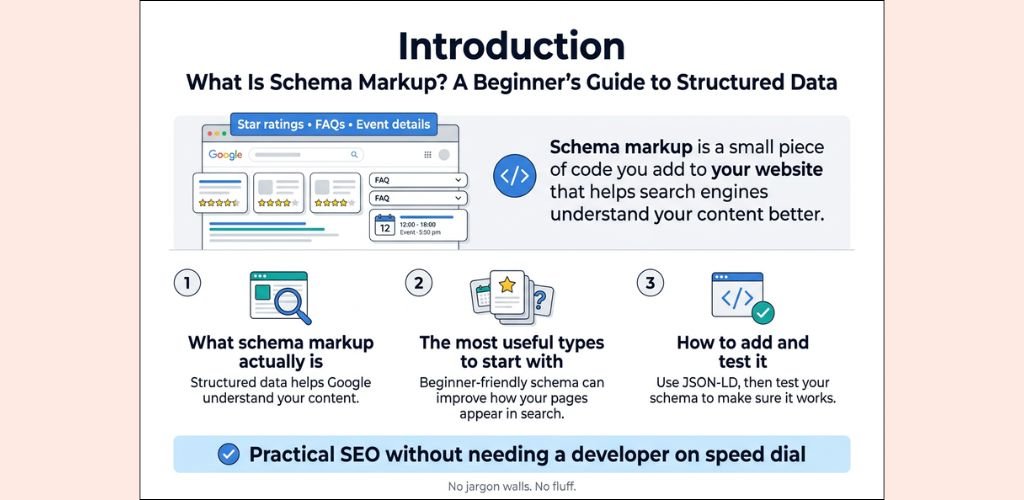
Structured data is one of those things that most beginners skip entirely — and it’s a real missed opportunity. When you add structured data (also called schema markup) to your pages, you’re basically giving Google a clear, organized explanation of what your content is about.
Without it, Google has to guess. With it, you’re handing Google a roadmap.
What structured data actually does:
- Tells search engines what type of content is on a page (article, recipe, product, FAQ, review, event, etc.)
- Makes you eligible for rich results — those eye-catching search snippets with star ratings, prices, images, or FAQ dropdowns
- Helps your content appear in voice search results and Google’s Knowledge Graph
- Increases your click-through rate even without a higher ranking position
Types of structured data worth implementing:
| Schema Type | Best For |
|---|---|
| Article / BlogPosting | Blog posts and news articles |
| FAQ | Pages with question-and-answer sections |
| HowTo | Step-by-step tutorial content |
| Product | E-commerce product pages |
| Review / AggregateRating | Product or service review pages |
| BreadcrumbList | Site navigation clarity |
| LocalBusiness | Local SEO pages |
How to add structured data without being a developer:
- Use Google’s free Structured Data Markup Helper to generate the code without writing it by hand.
- If you’re on WordPress, plugins like Rank Math or Yoast SEO handle a lot of schema markup automatically.
- Test your markup using Google’s Rich Results Test tool to make sure it’s implemented correctly before publishing.
Skipping structured data is a quiet but costly SEO error. You might be writing great content, but if a competitor covers the same topic and uses schema markup while you don’t, they’re more likely to grab the rich result — and rich results consistently get more clicks.
Structured data doesn’t replace good content — but it amplifies it. It’s the difference between Google reading your content and Google truly understanding it.
FAQ’s
> What Are the Most Common SEO Mistakes Made by Small Businesses?
Small businesses tend to repeat the same common SEO mistakes over and over, mostly because they’re focused on running their business rather than mastering search algorithms. Here are the biggest offenders:
- Ignoring keyword research — targeting overly broad or irrelevant keywords instead of specific, intent-driven ones
- Skipping Google Business Profile optimization — a massive missed opportunity for local visibility
- Thin or duplicate content — publishing pages with very little useful information
- No internal linking strategy — pages exist in isolation with no connected structure
- Neglecting mobile optimization — a critical error when most searches happen on phones
- Not tracking performance — flying blind without Google Analytics or Search Console set up
- Buying cheap backlinks — one of the most damaging SEO fails that can trigger a Google penalty
The good news? Most of these are fixable without a big budget. Start with a free SEO audit and work through each issue methodically.
> What Are the Most Overlooked Technical SEO Errors Impacting Site Rankings?
Technical SEO is where a lot of silent damage happens. You could have great content and still rank nowhere because of issues you can’t see on the surface.
The most overlooked technical errors include:
| Technical Issue | Why It Hurts |
|---|---|
| Missing or broken XML sitemap | Google struggles to crawl and index your pages |
| Duplicate meta tags | Confuses search engines about which page to rank |
| Crawl errors (404s, redirect chains) | Wastes crawl budget and loses link equity |
| No HTTPS/SSL certificate | Damages trust signals and rankings |
| Slow Core Web Vitals scores | Directly impacts ranking and user experience |
| Unoptimized robots.txt file | Can accidentally block important pages from indexing |
| Missing canonical tags | Creates duplicate content issues across similar URLs |
| Hreflang errors (for multi-language sites) | Wrong pages shown to wrong audiences |
Run a crawl with Screaming Frog or Sitebulb at least every quarter to catch these before they snowball.
> Which SEO Audit Tools Best Identify Common SEO Mistakes?
There’s no shortage of tools that can surface common SEO mistakes fast. Here are the best ones depending on your needs and budget:
All-in-One Paid Tools:
- Ahrefs — excellent for backlink analysis, keyword gaps, and site audits
- Semrush — great for on-page audits, competitor analysis, and position tracking
- Moz Pro — solid for domain authority tracking and page optimization tips
- Sitebulb — deep technical crawling with visual reports, ideal for agencies
Free & Freemium Tools:
- Google Search Console — shows indexing issues, Core Web Vitals, manual actions
- Google PageSpeed Insights — flags speed and performance problems
- Screaming Frog SEO Spider (free up to 500 URLs) — uncovers technical and on-page errors
- Ubersuggest — beginner-friendly audits with keyword suggestions
For most small websites, combining Google Search Console + Screaming Frog gives you an incredibly thorough picture without spending a cent.
> How to Identify and Fix Slow Page Loading Speeds for Better User Experience?
Slow pages are one of those SEO errors that damage both your rankings and your conversion rates simultaneously. Here’s how to diagnose and fix the problem:
Step 1: Measure Your Speed
- Run your URL through Google PageSpeed Insights or GTmetrix
- Check your Core Web Vitals in Google Search Console under the “Experience” section
Step 2: Identify the Culprits
Common causes of slow load times:
- Large, uncompressed images (the #1 culprit for most sites)
- Too many third-party scripts (chat widgets, ad trackers, etc.)
- No browser caching enabled
- Cheap or overloaded hosting
- Excessive plugins on WordPress sites
- Render-blocking JavaScript and CSS
Step 3: Fix the Issues
- Compress images using Squoosh, ShortPixel, or TinyPNG
- Switch to next-gen image formats like WebP
- Use a CDN (Content Delivery Network) like Cloudflare
- Enable lazy loading for images below the fold
- Minify CSS, JavaScript, and HTML
- Upgrade your hosting plan or switch to faster hosting
- On WordPress, use a caching plugin like WP Rocket or W3 Total Cache
Aim for a load time under 2.5 seconds and a Largest Contentful Paint (LCP) score under 2.5s to stay in Google’s good graces.
> How Can I Avoid Common SEO Mistakes When Using Popular Website Builders?
Website builders like Wix, Squarespace, and Weebly make it easy to build a site but can make it easy to avoid SEO errors too — if you know where to look.
Here’s what to watch for on the most popular platforms:
Wix:
- Enable Wix SEO Wiz for basic optimization guidance
- Manually customize each page’s meta title and description
- Avoid duplicate pages created by tags or categories
- Make sure your site is connected to Google Search Console
Squarespace:
- Use clean URL structures — avoid auto-generated messy URLs
- Add alt text to every image manually
- Enable SSL (it’s built in but double-check it’s active)
- Submit your sitemap (auto-generated at yourdomain.com/sitemap.xml)
WordPress (with Elementor or similar builders):
- Install Yoast SEO or Rank Math for on-page guidance
- Avoid excessive page builder bloat that slows down your site
- Clean up unnecessary plugins regularly
General rules across all builders:
- Always write unique meta titles and descriptions per page
- Never leave default “Home” or “Page 1” titles untouched
- Check mobile rendering after every design change
- Don’t rely on the builder’s default URL structures — customize them
> Which Tools Help Detect Common On-Page SEO Mistakes Like Keyword Stuffing?
Catching on-page issues like keyword stuffing, missing tags, and poor readability is straightforward with the right tools.
| Tool | What It Catches |
|---|---|
| Yoast SEO (WordPress) | Keyword density, readability, meta issues, internal links |
| Rank Math (WordPress) | Keyword stuffing alerts, schema errors, focus keyword overuse |
| Semrush On-Page SEO Checker | Detailed page-by-page optimization recommendations |
| Surfer SEO | Content score based on NLP and keyword usage balance |
| Clearscope | Highlights over- and under-used terms compared to top-ranking pages |
| Screaming Frog | Finds duplicate meta tags, missing H1s, and thin content |
| Hemingway Editor | Flags overly complex writing that hurts readability |
For SEO mistakes beginners make, keyword stuffing is extremely common because new site owners think more mentions equals better rankings. Tools like Yoast SEO visually flag when you’ve crossed into over-optimization territory, making it easy to self-correct before publishing.
> What Free Tools Help Detect Common SEO Mistakes on My Blog?
You don’t need to spend money to find and fix common SEO mistakes on your blog. These free tools cover most of the bases:
For Technical & Crawl Issues:
- Google Search Console — indexing errors, coverage issues, manual penalties, Core Web Vitals
- Screaming Frog (free for up to 500 URLs) — broken links, missing tags, duplicate content
- Bing Webmaster Tools — often catches issues Search Console misses
For On-Page SEO:
- Yoast SEO (free version) — meta optimization and readability for WordPress blogs
- Ubersuggest (limited free use) — on-page audit and keyword ideas
For Page Speed:
- Google PageSpeed Insights — free and directly tied to Core Web Vitals data
- GTmetrix (free tier) — detailed waterfall reports of what’s slowing your site down
For Backlinks:
- Google Search Console — shows your existing backlink profile
- Ahrefs Webmaster Tools (free) — more detailed link data than Search Console alone
For Content Analysis:
- Answer The Public (free limited searches) — content gap ideas and question-based keywords
- Google Trends — validates whether your blog topics have search demand
Stack these tools together and you have a solid, zero-cost SEO audit system for your blog.
> How Do I Find Out If My Website Has Too Many Broken Internal Links?
Broken internal links are a sneaky problem — they frustrate users, waste crawl budget, and signal to Google that your site isn’t well-maintained. Here’s how to find them quickly:
Method 1: Google Search Console
- Go to Coverage → look for “Not Found (404)” errors
- Under Links, check which internal pages are frequently linked to — cross-reference with any 404s you spot
Method 2: Screaming Frog SEO Spider
- Crawl your entire site for free (up to 500 URLs)
- Go to Response Codes → filter by 4XX to see all broken links at once
- It shows both the broken URL and the page it’s linked from — making fixes fast
Method 3: Ahrefs Webmaster Tools (Free)
- Run a site audit and check the Internal Pages report
- Filter for broken pages (404/410) to see which internal links point to dead URLs
Method 4: Broken Link Checker Plugin (WordPress)
- Automatically scans your site in the background
- Flags broken links directly in your WordPress dashboard
Once you find broken links, here’s how to fix them:
- Redirect the dead URL to the most relevant live page using a 301 redirect
- Update the anchor link directly in the content to point to the correct page
- Delete the link if the content it was pointing to no longer exists and has no good replacement
Make this a monthly habit. Even a well-maintained site accumulates broken links over time as pages get deleted, URLs change, or external links die — and catching them early is one of the simplest ways to avoid SEO errors that quietly drag down your rankings.
SEO can feel overwhelming, but avoiding these seven mistakes can make a massive difference in how your website performs. From targeting the wrong keywords and ignoring technical issues to building low-quality links and publishing weak content, each of these errors quietly chips away at your rankings without you even noticing. The good news? Every single one of them is fixable.
Start by auditing your site today. Check your keywords, clean up your on-page SEO, fix those technical issues, and make sure your content is actually giving people what they’re searching for. Small, consistent improvements add up fast, and your rankings will reflect that effort over time. The websites sitting at the top of Google aren’t there by accident — they just stopped making the mistakes you now know to avoid.